
What is a UX designer
There's a certain amount of terminology used on this site that assumes a level of previous exposure to the roles of a user experience designer (UX designer) and Information Architect (IA). This can be presumptious as many people are getting acquainted with the field of UX design and are searching for simple answers to common, fundamental questions such as 'what is a UX designer?' and 'what are the core elements of UX design?'.
One of the key considerations in my role as a user experience designer is to make sure that the site or application I'm designing makes sense to the target user groups, and phraseology and terminology form a large part of this.
With this in mind, this section of the site is my take on some of the common terminology associated with the realm of UX design in the hope that it may help those in the process of getting familiar with this field.
One important caveat when trying to help with definitions related to the UX space is that things are evolving at a rapid pace and so an open, flexible mind is important as the concensus of opinion amongst UX practitioners is in a constant state of flux (although the core principles are now established) as technologies and techniques evolve together.
So, what is a UX Designer, UX architect, UX consultant, UX expert etc etc?
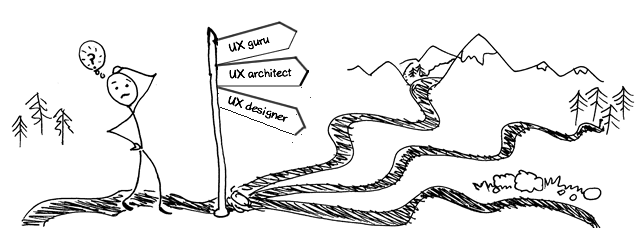
User experience designer, UX designer, UX architect, UX consultant, UX expert etc are all terms that you may see on job descriptions and CV's. Almost without exception they describe the same role and it's really just a question of who you speak to or what company you are working with that determines which of these (and other) titles are used.
The term User Experience designer also causes a lot of confusion in relation to other roles such as UI designer, visual designer, creative designer, digital designer etc. This confusion can cause issues for practitioners, project managers, stakeholders and ultimately end users.
The problem with rapidly emerging fields such as UX design is that different people have developed very different ideas about the terminology used to describe the roles involved based on their own experiences and influences. Therefore there is not currently a definitive definition of the roles that would satisfy all parties.
However, practitioners who have worked in the field for some time become acutely aware of the skillsets required to create a successful user experience and so whilst the role titles may be tricky to pin down, what needs to be done and in what order is reasonably clear and enjoys some (if not total) consensus.
My view is that the term UX designer decribes a wide ranging responsibility to ensure that an end product achieves it's core (often business) objectives whilst providing it's users with the most effective, efficient and enjoyable experience as possible.
Core aspects of a successful digital experience are almost always the same:
- Utility (usefulness)
- Usability (ease of use)
- Appealing (aesthetically attractive and uncluttered)
- Engaging (enjoyment of use, encouraging an appetite for repeat use)
To try to explain the fact that 'utility (usefulness)' sits at the top of the tree in terms of importance we can look at Facebook as an example. Most UX practitioners would agree that the overall usability of Facebook has historically been quite weak (although improving all the time), however it's global success has of course been phenomenal.
This is largely down to incredible levels of 'utility'. If you're the first to market with a killer app and have the ability to scale rapidly as required then you do still have a good chance of success based on high levels of perceived utility regardless of lower levels in other key areas of UX.
However as time goes by and other players move in to compete, superior UX design can be the game changing factor that ensures that the original product stays on top or is overtaken by a more design savvy contender.
The are many different disciplines that contribute to the user experience of a product as a whole but in the digital design arena the following roles (although there still is much variation and overlap) are becoming accepted as the key components in the UX puzzle:
- UX Researcher (user analysis & profiling plus other insight gathering and planning activities)
- Information architect (page/content groupings, hierarchy, placement)
- Interaction designer or UI designer (related but not the same interface creation focused roles)
- Visual designer (brings the interfaces to life from a aesthetic/brand/creative perspective. Some overlap with UI designer)
- Usability testing expert (ideally provides a continuous user feedback loop allowing timely updates to design thinking)
Being mindful of the roles is important however it is not uncommon (although not desireable) for a UX designer to take on several or even all of these roles. However, as mentioned above, what is more important is to realise that it is not so much a matter of getting the correct job titles on a project but to ensure that the essential skills are in place so that all core user focused design bases are covered.
Also, with the rise in the need for more complex solutions that cut across different device types (e.g. responsive design) it is becoming even more important to include members of the development team in design discussions to ensure that agreed solutions are actually feasible and take best advantage of the technology platform and skillsets available at the time.
Last (but by no means least), and also partly driven by the increasing demand for cross platform solutions, the role of the Content Strategist is gaining momentum. This becomes much more significant for content heavy sites where it is crucial to be clear about the essence of the content for a given digital entity so that the user's information needs are fully catered for and that device type specific content priorities can be quickly and sensibly agreed.
As these roles are given more time to evolve it is likely that they will naturally come to be defined in a more consistent universal manner, however whilst the digital space continues to twist and turn at a rapid pace I find that it's best to keep an open mind when exploring a new role until I've had an opportunity to discuss the expectations and requirements of a given role in detail.
One thing that is certain is that as the impact of UX is more widely understood, increased responsibility will come to lie on the shoulders of UX design teams as they take the lead role in championing the end user's core requirements and guiding all project team members/stakeholders towards a successful product that delights it's audience. This in turn leads to a healthy return on investment and ultimately helps to support a flourishing business/organisation.
I hope you have enjoyed what has simply been my take on this core terminology from the developing 'experience arena' and that I have at least to some extent helped to answer the question 'what is a UX designer'?
Next steps
See 'UX terminology' navigation (located below if viewing this page on your phone or tablet) for my perspective on other UX terminology.
Interested in learning more about UX?Subscribe to receive free UX insights & career guidance by email to help you on your journey:
Still got a question about UX? Please get in touch
